JADE 16X
Pack Type
Downloads
Resolution
Preview the Pack
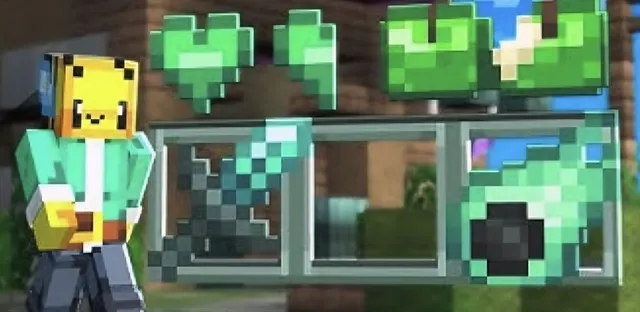
Take a look before you download. Tap the image to view it fullscreen.
Description
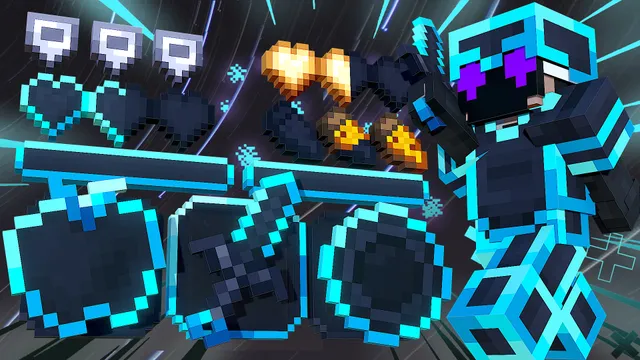
Original Pack Creator: Racingbee Youtube:https://www.youtube.com/@RacingBeeYT Make sure to subscribe! You can change the theme to bamboo in the pack settings (in game settings). Built for Bedwars and Skywars on Bedrock servers like The Hive, CubeCraft, NetherGames and Zeqa. It comes with short swords. Downloaded 45 times on Texturepack.BE (4.6 MB .mcpack). Free .mcpack download for mobile, PC, Xbox and PlayStation on Minecraft Bedrock 1.21 to 1.26.
How to install the pack in Minecraft
After downloading your pack, follow this step guide to get it working in your game.
Bedrock / MCPE (mobile, Xbox, PlayStation, Windows)
- Open the .mcpack file you just downloaded
- Minecraft opens and imports the pack automatically
- Go to Settings → Global Resources and tap the pack
- Tap 'Activate', then press 'Play' to load your new look
After that the textures should load up and you can play the game with a brand new look!

More packs like JADE 16X
Packs with the same gamemode or style, ranked by downloads
![Blue [128x] Revamp](https://sdn.texturepack.be/packs/blue_128x_revamp/blue_128x_revamp.webp)